Download

Get ShotBin For Windows & Mac

Release Notes

Version 1.1.6

Version 1.1.6 marks the first public release of the ShotBin desktop app.

The app is available as a portable build for both platforms:

No installers, no system clutter — download, open, and start capturing.

Usage
  • Select a Mode
  • Choose between Video or Image capture.
  • Choose a Source
  • Pick a screen, window, or area from the available list.
  • Configure Audio (Video only)
  • Enable or disable System Audio
  • Enable or disable Microphone
  • Start Recording
  • Click Start Recording to begin.
  • Use Pause to pause and resume at any point.
  • Stop & Upload
  • Click Stop to finish.

Your capture is automatically uploaded to your ShotBin account and opened in the browser
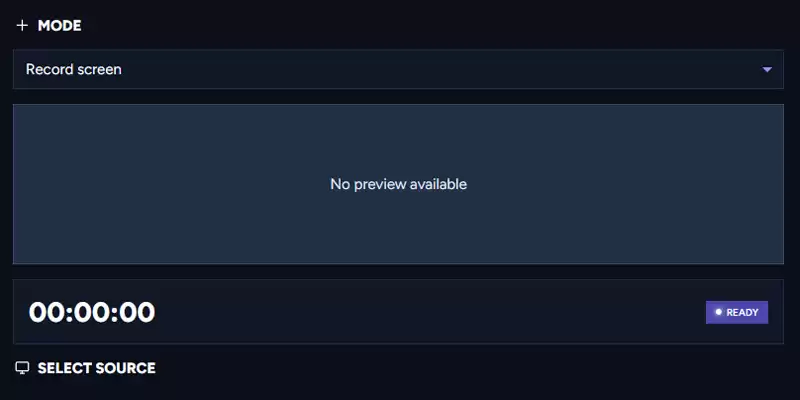
Video Recording
  • ShotBin makes screen recording fast and distraction-free:
  • Record your entire screen
  • Capture system audio, microphone audio, or both
  • Live video preview while recording so you know exactly what’s being captured
  • Pause and resume recordings at any time
  • Automatic upload to your ShotBin account when recording stops

Perfect for demos, bug reports, tutorials, and quick walkthroughs.
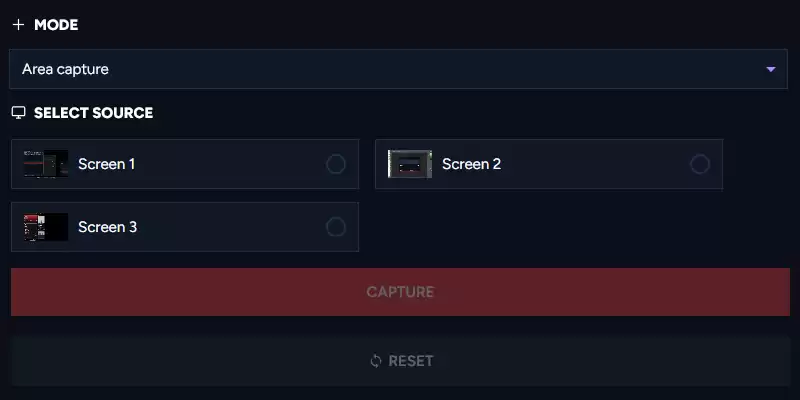
Screenshots

Flexible screenshot capture with zero setup:

  • Capture the full screen
  • Capture a specific window
  • Capture a custom selected area
  • Instant upload to your ShotBin account after capture

No saving files manually or hunting through folders — everything appears in your ShotBin library automatically.

Tip: If the app is running in the background, press: Command / Control + Alt + Z to instantly bring ShotBin back into view.